
Picture this: You’ve crafted the perfect landing page. Your copy is persuasive, your design is stunning, and your offer is irresistible. But there’s one problem—your page loads like it’s 2003, and Google is silently penalizing you for it. Welcome to the world of Core Web Vitals, where milliseconds can make or break your marketing campaigns.
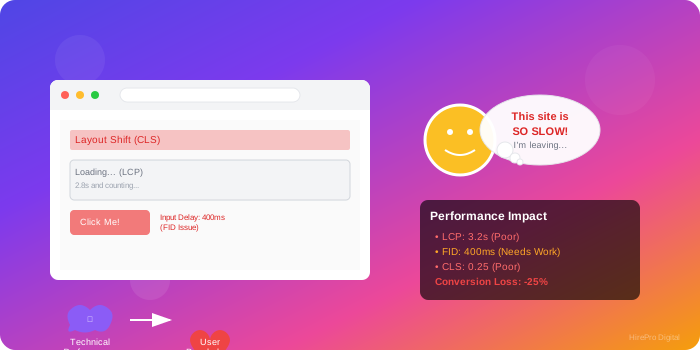
Core Web Vitals aren’t just technical metrics—they’re psychological triggers disguised as performance indicators. When Google introduced these metrics, they weren’t just measuring server response times; they were quantifying human patience and attention spans in the digital age.
Think about your own browsing behavior. That subtle frustration when a page shifts unexpectedly, forcing you to tap the wrong button? That’s Cumulative Layout Shift (CLS) attacking your user experience. The anxiety you feel when nothing happens after clicking a link? That’s First Input Delay (FID) sabotaging your engagement. These aren’t just technical hiccups—they’re conversion killers hiding in plain sight.
LCP measures when your page’s main content becomes visible, but here’s what most guides won’t tell you: it’s not just about speed—it’s about perceived performance. Your LCP element is the make-or-break moment where users decide whether to stay or bounce.
The Counterintuitive Fix: Sometimes, optimizing for LCP means making your page technically “slower” but perceptually faster. By strategically choosing which element serves as your LCP (often a hero image or headline), you can create the illusion of instant loading while heavier elements load in the background.
FID measures the time between a user’s first interaction and the browser’s response. But here’s the twist: perfect FID scores can actually indicate poor user engagement. If users aren’t interacting with your page quickly, you might have bigger problems than technical performance.
The Engagement-Performance Balance: Pages with slightly higher FID but more interactive elements often outperform technically perfect but static pages in terms of conversions. The key is optimizing for meaningful interactions, not just fast ones.
Strategic FID Improvements:
CLS might be the most underestimated of the three vitals. A high CLS score doesn’t just hurt your rankings—it destroys user trust on a subconscious level. Every unexpected shift signals to users that your site is unreliable.
The Trust Factor: Studies show that users associate layout shifts with site security issues, even when they’re completely unrelated. A single unexpected shift can increase bounce rates by up to 25%.
CLS Mastery Techniques:
Most businesses monitor Core Web Vitals like they’re checking their email—occasionally and reactively. This approach misses the dynamic nature of web performance. Your vitals can fluctuate based on user behavior patterns, device types, network conditions, and even time of day.
Smart Monitoring Strategy:
As AI-generated content becomes more prevalent, Core Web Vitals take on new significance. AI tools often create content-heavy pages that can negatively impact loading times if not properly optimized. The key is balancing the comprehensive nature of AI-assisted content with performance requirements.
When implementing AI content strategies, consider how content length and multimedia elements affect your Core Web Vitals. Sometimes, the most comprehensive AI-generated content isn’t the most effective if it sacrifices user experience for thoroughness.
Most Core Web Vitals issues stem from inefficient critical rendering paths. Instead of optimizing individual elements, audit your entire critical path:
Build your pages to be functional at their fastest, then enhance them progressively:
Set performance budgets for each page type:
Core Web Vitals aren’t just Google ranking factors—they’re business performance indicators. A 0.1 second improvement in LCP can increase conversion rates by 8%. A reduction in CLS can decrease bounce rates by 15%. These aren’t just technical wins; they’re revenue drivers.
ROI Calculation Framework:
Forget generic recommendations—these tools provide actionable insights:
For Real-World Analysis:
For Deep Diagnostics:
Optimizing Core Web Vitals often requires cross-disciplinary expertise—combining technical SEO, development, UX design, and performance analysis. This is where strategic partnerships with digital marketing agencies become invaluable. The right partnership can provide the specialized knowledge needed to tackle complex performance optimization while you focus on your core business objectives.
Core Web Vitals will evolve, but the underlying principles of user-centered performance optimization remain constant. Focus on building systems that can adapt to future changes rather than optimizing for current metrics alone.
Emerging Considerations:
While your competitors are still treating Core Web Vitals as a checklist item, you can use them as a competitive advantage. Fast, stable, interactive websites don’t just rank better—they convert better, retain users longer, and build stronger brand trust.
The businesses that understand this aren’t just optimizing for Google’s algorithms; they’re optimizing for human psychology. They’re not just improving technical metrics; they’re enhancing user experiences that drive real business results.
Remember: Core Web Vitals aren’t the destination—they’re the roadmap to a web presence that truly serves your users and your business goals. The question isn’t whether you can afford to optimize them; it’s whether you can afford not to.
Transform your digital marketing performance with expert Core Web Vitals optimization. Partner with specialists who understand both the technical requirements and business implications of web performance.